Z Single Theme GO Launcher E 1.0 for Android
Have you tried to use Z Single Theme GO Launcher E on the android device? This application is so great android app that you should have it. It brings many features which can make you very like it. The current version is Z Single Theme GO Launcher E 1.0. Z Single Theme GO Launcher E 1.0 could be downloaded from Android Market. So, if you want to download it in your android device, just open up your Play Store application and lookup Z Single Theme GO Launcher E. Below is detail of the application.

Features of Z Single Theme GO Launcher E 1.0
Z Single Theme GO Launcher E 1.0 brings a lot of features which will make you very like it. The following is summary of the app according to official page from Google Play
===Brief introduction:
Covers icons, wallpaper, foldersinterface and app drawer. Get it and have a completely new makeover
of your smartphone with android OS at once!
===Important tips:
***This app only works with GO Launcher EX.
***Install GO Launcher free from the market first.***How to Apply the Theme:
1.Please Do Not open directly after it's installed.
2.Back to GO Launcher EX: MENU > theme preferences.
3.Choose and apply the theme.***Change icons:
Some devices may not change the icons automatically.
1.Tab and hold an app in desk screens.(Not available in app list.)
2.Replace > Choose the theme's icons.***Circle Effect:
1.Only works in App list, MENU > Settings > Icon effect > ChariotThanks for your support!
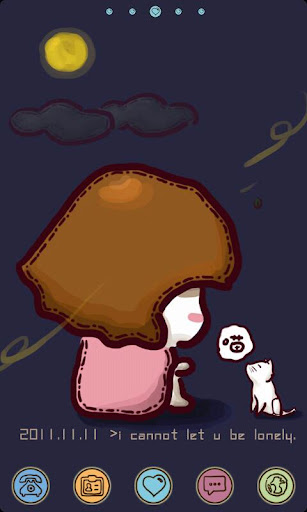
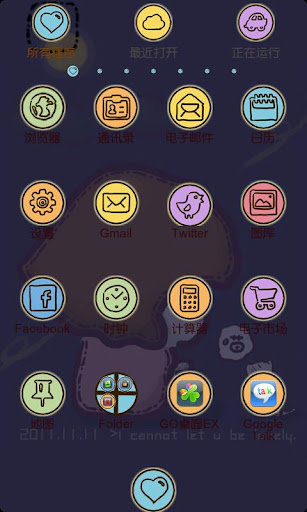
Download Z Single Theme GO Launcher E 1.0 apk Android
And finally, we recommend that you set up this app in your android device. Follow this link to download Z Single Theme GO Launcher E 1.0 directly into your android device.


0 comments:
Post a Comment
Note: Only a member of this blog may post a comment.