Android Hallowee Theme GO Launcher EX 1.2 apk
Almost android users previously know this app, Hallowee Theme GO Launcher EX. Right! This is 1 of the most downloaded apps on Google Play Store. Well! We want to inform you that this application lately got update to version 1.2. Surely, Hallowee Theme GO Launcher EX 1.2 brings new features and changes in this version. So, we suggest you to update it to the most recent version if you've installed on your android device. If not yet, you can get Hallowee Theme GO Launcher EX 1.2 from the link we provide on this page. You can also download its apk file from other website.
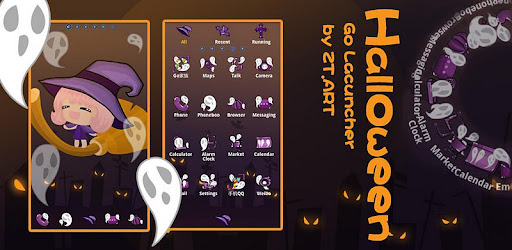
If you have not recognized yet about Hallowee Theme GO Launcher EX, right here is detail of the app that we copied from official page.
===Brief introduction:
Covers icons, wallpaper, foldersinterface and app drawer. Get it and have a completely new makeover
of your smartphone with android OS at once!
===Important tips:
***This app only works with GO Launcher EX.
***Install GO Launcher free from the market first.***How to Apply the Theme:
1.Please Do Not open directly after it's installed.
2.Back to GO Launcher EX: MENU > theme preferences.
3.Choose and apply the theme.***Change icons:
Some devices may not change the icons automatically.
1.Tab and hold an app in desk screens.(Not available in app list.)
2.Replace > Choose the theme's icons.***Circle Effect:
1.Only works in App list, MENU > Settings > Icon effect > ChariotThanks for your support!
For far more details about Hallowee Theme GO Launcher EX, read from the download link that we present on this page.
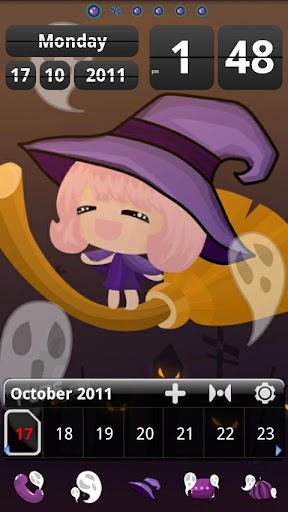
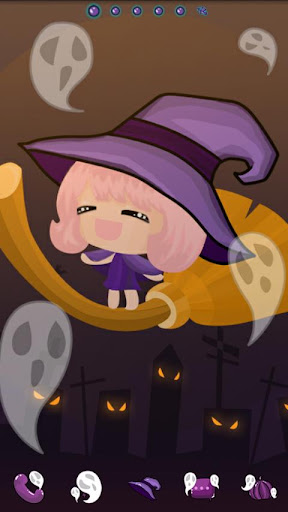
Download Hallowee Theme GO Launcher EX 1.2 apk Android
And finally, you most likely couldn't be patient to take pleasure in this app on your android device. So, download Hallowee Theme GO Launcher EX 1.2 from this link and install it into your device.


0 comments:
Post a Comment
Note: Only a member of this blog may post a comment.